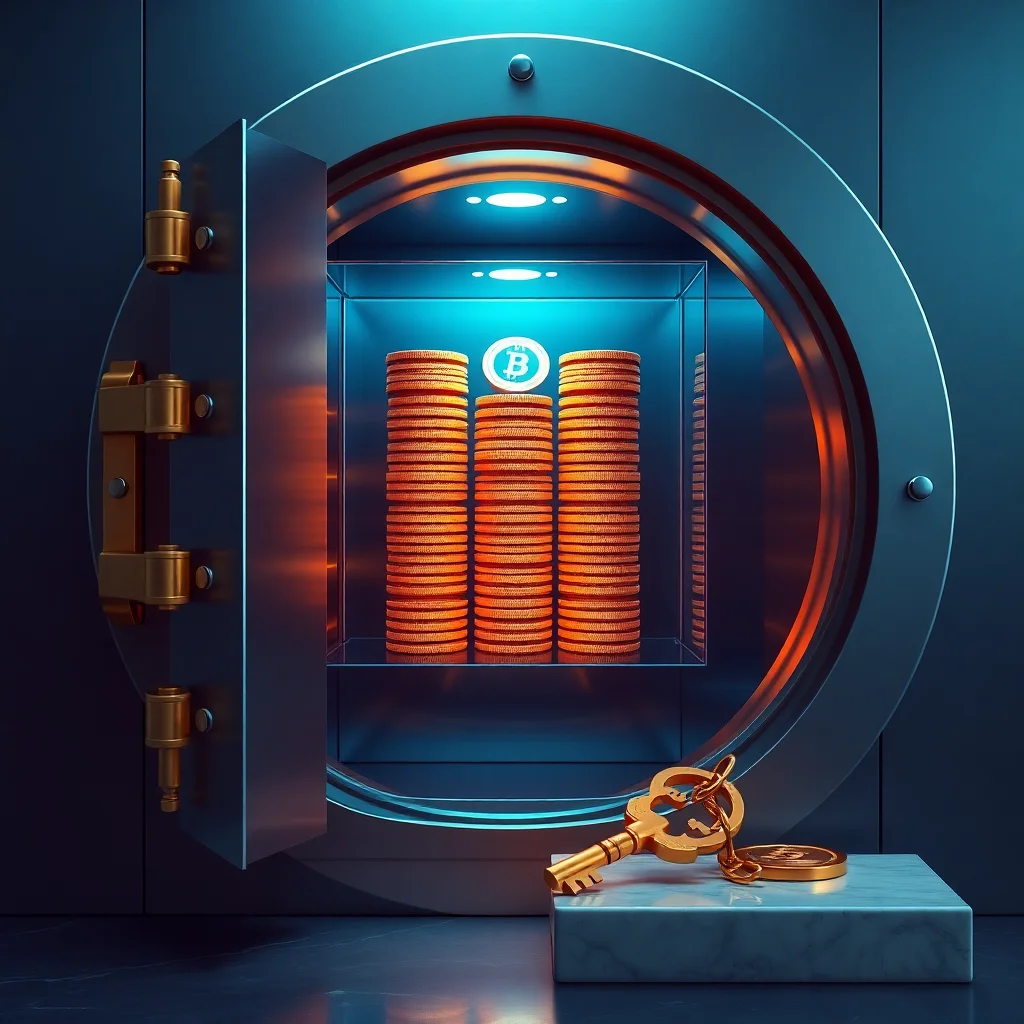
Why Secure Crypto Storage Matters
The cryptocurrency market has grown exponentially, with over $2 trillion in total market capitalization as of 2026. But growth has come with a sobering reality: security breaches and user error remain the leading cause of crypto loss. According to 2025 data, approximately $14 billion in cryptocurrency was stolen or lost to hacks—more than double the losses from exchange collapses alone.
The difference between your crypto being safe and losing everything often comes down to one decision: where and how you store it. This guide will walk you through every storage option available, the security model behind each, and the practical steps to protect your digital assets from hackers, scams, and your own mistakes.
Understanding Wallet Types: The Foundation of Storage Security
A cryptocurrency wallet doesn't actually "hold" your coins in the way a bank account holds dollars. Instead, it manages your private keys—cryptographic codes that prove you own and can spend your crypto. Where you store those keys determines your security level and convenience trade-off.
Hot Wallets: Maximum Convenience, Higher Risk
A hot wallet is any wallet connected to the internet. This includes exchange wallets, mobile apps, and web-based platforms. Hot wallets are designed for frequent trading and spending—your private keys are encrypted and stored on internet-connected devices or servers.
Pros:
- Instant access to your funds
- Easy to use on mobile or desktop
- Suitable for active trading
- No hardware investment required
Cons:
- Vulnerable to hacking if the service is compromised
- You may not control your private keys (especially on centralized exchanges)
- Phishing attacks can steal your credentials
- Malware on your device can intercept transactions
Best for: Small amounts you plan to trade regularly, or amounts you can afford to lose. Never store your life savings in a hot wallet.
Cold Wallets: Maximum Security, Lower Convenience
Cold wallets store your private keys entirely offline, making them immune to remote hacking. They come in two main forms: hardware wallets and paper wallets.
Hardware Wallets (e.g., Ledger, Trezor, Coldcard)
A hardware wallet is a physical device—roughly the size of a USB drive—that generates and stores your private keys. Even when connected to a computer for transactions, your keys never leave the device. The device itself is engineered so that private keys cannot be extracted, even by the manufacturer.
How it works: You plug the device into your computer, confirm a transaction on the device's screen, and sign it cryptographically without ever exposing your private key to the internet.
Pros:
- Private keys never touch the internet
- Resistant to malware on your computer
- Protection against phishing (you verify addresses on the device screen)
- Recoverable if the device is lost (via recovery phrase)
- Supports hundreds of cryptocurrencies
Cons:
- Requires purchasing hardware ($50–$300 depending on the model)
- Less convenient for frequent trading
- Risk of physical loss or damage
- Potential supply chain attacks if buying from untrusted sources
Popular options:
- Ledger Nano S Plus: ~$80, beginner-friendly, supports 10,000+ assets
- Trezor Model T: ~$200, open-source, touch screen
- Coldcard: ~$150, highly secure, Bitcoin-focused
Paper Wallets
A paper wallet is a printed private key and public address. This is the most extreme form of cold storage—no electronics involved. However, paper wallets are not recommended for most users because they require advanced technical knowledge to create securely and use safely. One mistake in the process can expose your keys.
Exchange Wallets: Convenience With Custody Risk
When you buy crypto on a centralized exchange like Coinbase, Kraken, or Binance, your coins are stored in exchange wallets. You don't control the private keys—the exchange does. This is often called "not your keys, not your coins."
The exchange holds your crypto on your behalf.** They handle security, but they also handle the risk. If the exchange is hacked or collapses, your funds are at risk. This happened spectacularly in 2022 when FTX, once valued at $32 billion, collapsed and users lost approximately $8 billion in customer funds.
When exchange wallets make sense:
- You're actively trading and moving funds frequently
- You're holding small amounts you can afford to lose
- The exchange is well-established with strong security (Coinbase, Kraken, Kraken have multi-sig security and insurance)
When to move off exchange:
- You're holding for the long term (6+ months)
- Your holdings are significant to your net worth
- You want full custody and control
Evaluating Exchange Security
Not all exchanges offer the same security level. Before keeping funds on an exchange, check:
- Insurance coverage: Coinbase insures up to $250,000 per customer in USD balances and supports digital asset insurance. Kraken offers cold storage insurance and crypto insurance.
- Security certifications: Look for SOC 2 Type II compliance, which means independent audits of security practices.
- Multi-signature wallets: Reputable exchanges use multi-sig setups where multiple keys are required to move large amounts of crypto.
- Track record: Research the exchange's history. How long have they been operating? Any major security incidents?
- Regulatory oversight: Exchanges registered with FinCEN (US) and compliant with local regulations tend to have stricter security standards.
Non-Custodial Wallets: Self-Custody With Responsibility
A non-custodial wallet is software (mobile or desktop) where you control your private keys. Popular examples include MetaMask, Trust Wallet, Exodus, and Blue Wallet. These wallets never see your private keys—they're encrypted on your device.
Pros:
- You have sole control—no third party can freeze or seize funds
- No counterparty risk (the wallet company can't go bankrupt and take your coins)
- Better for long-term holding
- Completely free to use
Cons:
- You're responsible for security—if compromised, your coins are gone forever
- If you lose your recovery phrase, you lose access permanently
- Vulnerable to malware if your device is infected
- Phishing attacks can trick you into revealing your seed phrase
Best for: Medium-term holding with a balance of security and convenience. Ideal for amounts you want to keep safe but might access occasionally.
Practical Steps to Set Up Secure Storage
Step 1: Decide Your Storage Strategy Based on Holdings
Security experts recommend a tiered approach based on the total amount you're holding:
- Under $1,000: Mobile non-custodial wallet is sufficient
- $1,000–$10,000: Use a non-custodial wallet plus a small amount on an exchange for active trading
- $10,000–$100,000: Hardware wallet for majority, exchange wallet for active trading
- Over $100,000: Hardware wallet is essential; consider multi-sig setups (covered below)
Step 2: Secure Your Device
Before storing any crypto, secure the device holding your wallet. This applies whether you're using a software wallet, hardware wallet, or exchange:
On all devices:
- Use a strong, unique password manager (Bitwarden, 1Password, LastPass) to generate complex passwords
- Enable two-factor authentication (2FA) on exchange accounts—use an authenticator app like Authy or Microsoft Authenticator, not SMS
- Keep your operating system and all software updated with the latest security patches
- Install antivirus/anti-malware software (Windows users especially)
- Use a VPN when accessing exchanges or wallets on public WiFi
For hardware wallet users:
- Buy directly from the manufacturer's official website—never from third-party marketplaces where supply chain attacks are possible
- Verify the device authenticity using the manufacturer's tool when you first receive it
Step 3: Create and Store Your Recovery Phrase Securely
When you create a new wallet (hardware or non-custodial), you'll receive a recovery phrase—typically 12 or 24 words. This phrase is your safety net if your device is lost, stolen, or damaged. Anyone with your recovery phrase can access all your funds.
How to store your recovery phrase:
- Write it down by hand on paper: Use multiple copies and store them in physically separate, secure locations (safe deposit box, home safe, parent's house)
- Do NOT: Store it digitally in plain text, email it to yourself, take screenshots, or store it in a cloud service
- Do NOT: Share it with anyone, including support staff or family members who don't need access
- Consider metal backup: Companies like Cryptosteel and The Plate allow you to etch your recovery phrase onto metal plates, which survive fire and water damage
For significant holdings, consider a "split phrase" approach: divide your recovery phrase across multiple locations so no single location reveals the complete phrase.
Step 4: Test Your Setup Before Adding Large Amounts
Before transferring thousands of dollars worth of crypto, test your setup with a small amount:
- Send a test transaction to your new wallet
- Verify it arrives correctly
- Confirm you can access it
- Practice exporting your private keys or recovery phrase (and verify you can restore from them)
- Only after successful testing, transfer larger amounts
Step 5: Document Your Setup
Create a document (stored securely offline) that includes:
- Which wallet holds which assets and why
- Location(s) of your recovery phrases
- Instructions for your heirs if something happens to you
- Backup contact information for support if needed
Advanced Security: Multi-Signature Wallets
For very large holdings, consider a multi-signature (multi-sig) wallet. These require multiple private keys to authorize a transaction—typically 2-of-3 or 3-of-5. This means if one key is compromised, attackers can't access your funds.
How it works: You hold one key in a hardware wallet, store a second key offline, and optionally have a third key held by a trusted party. Any transaction requires at least 2 of these keys to sign.
Examples:
- Casa: Professionally-managed multi-sig service with insurance (typically for holdings over $250,000)
- Unchained Capital: Multi-sig setup with custody support
- DIY with Electrum or Specter: Free but requires technical knowledge
Trade-off: Multi-sig adds complexity and costs (Casa charges 1-2% annually), but it's the gold standard for institutional-level security. For individual investors with holdings over $500,000, it's worth considering.
Common Security Mistakes to Avoid
Phishing Attacks
Phishing is the #1 method attackers use to steal crypto. A phishing email or website looks legitimate but directs you to enter your recovery phrase or private keys.
How to avoid it:
- Never click links in emails—always navigate to websites by typing the URL directly
- Check URLs carefully: ledger-secure.com is not ledger.com
- Legitimate companies will never ask for your private key or recovery phrase
- Use browser extensions like MetaMask Guard that warn you of phishing sites
Reusing Passwords
If you use the same password on multiple exchanges and one is breached, attackers can access all your accounts. Use a unique, strong password for every exchange and wallet.
Ignoring 2FA or Using SMS
SMS-based 2FA is vulnerable to SIM swapping attacks (where attackers take over your phone number). Use an authenticator app (Authy, Google Authenticator, Microsoft Authenticator) instead. Backup codes provided during 2FA setup should be stored in your secure offline document.
Sending Large Amounts Without Testing
A common mistake is copying a wallet address wrong and sending funds to the wrong address. Cryptocurrencies are irreversible. Always send a small test transaction first.
Storing Recovery Phrase Digitally
Even "encrypted" digital storage is risky. If your device is hacked, malware can decrypt files. Write down your recovery phrase and store it offline.
Buying Hardware Wallets From Untrusted Sources
Supply chain attacks are real. Attackers have intercepted shipments of hardware wallets, modified them to steal keys, and resold them. Always buy from the official manufacturer's website.
Regular Maintenance and Monitoring
Check Your Accounts Regularly
Even if you're a long-term holder, review your wallet and exchange accounts every few months:
- Verify your holdings are intact
- Check for unauthorized access attempts in account logs
- Review any active sessions and disconnect unknown devices
Keep Software Updated
Update your wallet software when new versions are released. Updates often include security patches. However, always update from official sources only, and verify the update is legitimate before installing.
Monitor Your Seed Phrase Storage
Periodically verify your recovery phrase is still secure:
- Check that paper copies haven't faded or been